Watch an entire list
What it does
Watching sends you an email when something changes on a company: name, address, status, activity codes, members, new GEMH filings and more. Instead of turning it on company by company, you flip one toggle on the list and every company in it is covered.
The toggle is a state of the list, not a one-off action. While it is on, every company you add later is watched automatically.
The flow
Advanced search by VAT list
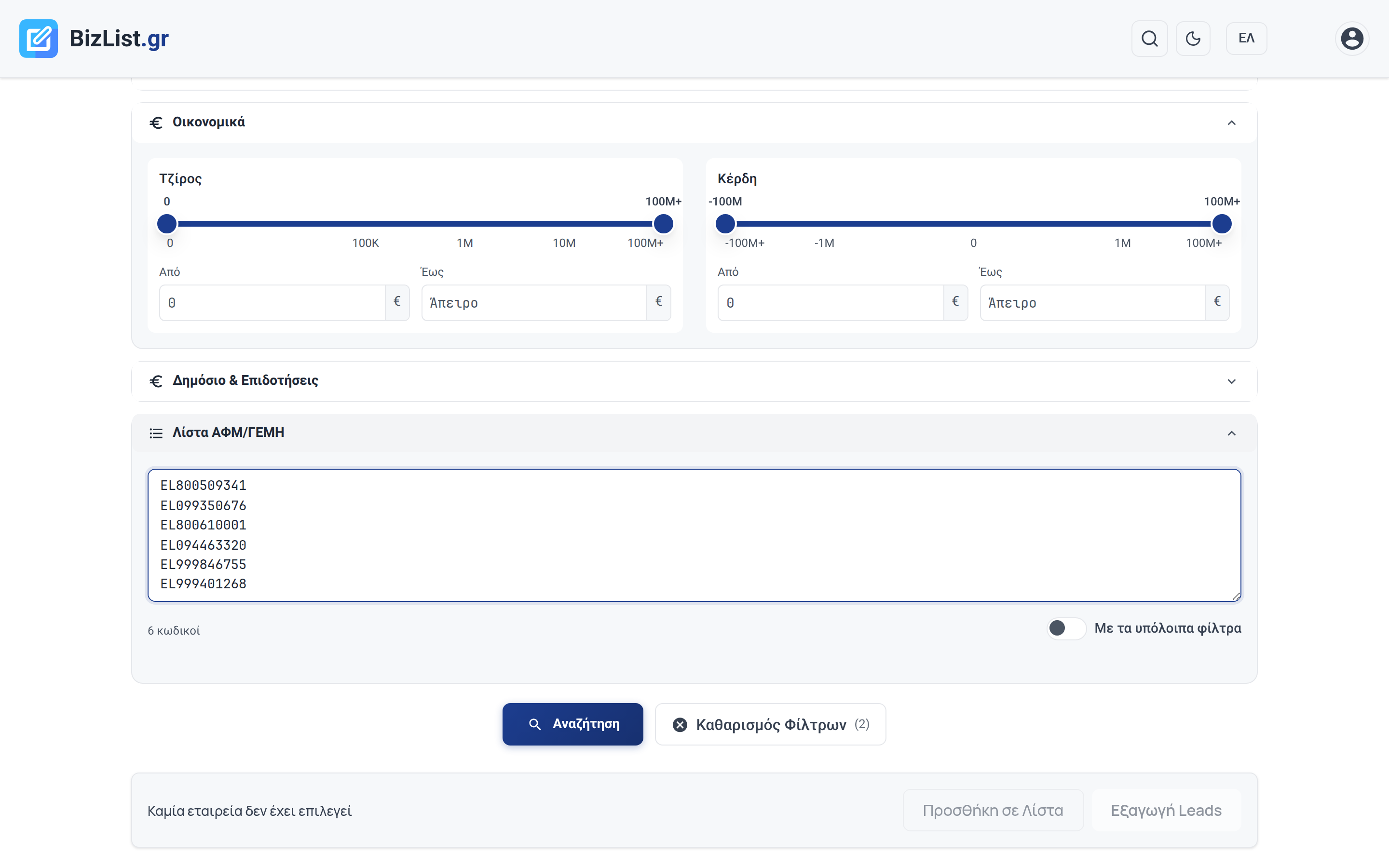
In Advanced Search open the VAT/GEMH list section and paste your VAT numbers or GEMH numbers, one per line. Up to 1,000 codes. Turn on With the other filters if you want your list to also pass through the rest of the filters. Otherwise the list ignores them and returns whatever it finds.
Select the results
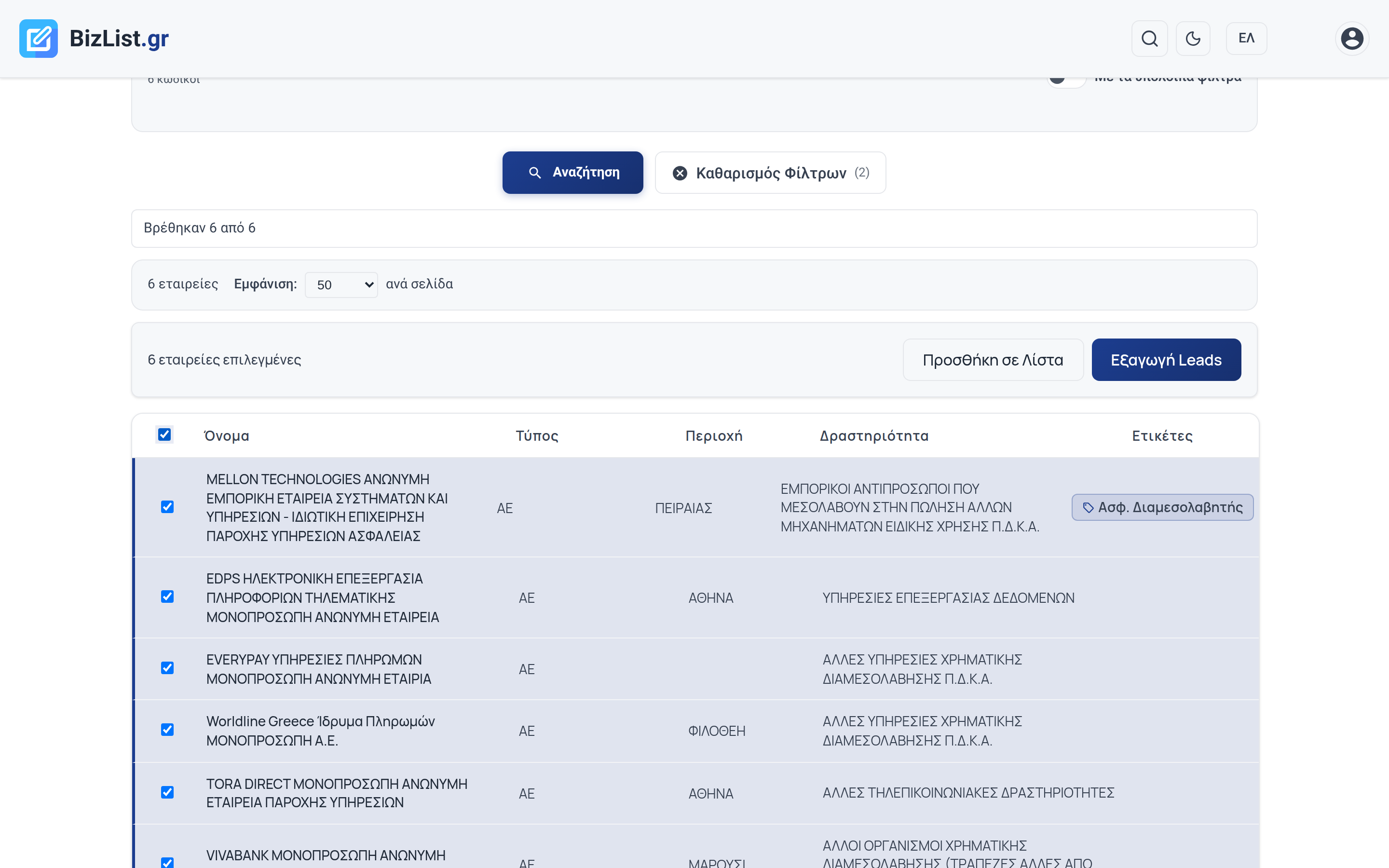
Hit Search. The checkbox in the table header selects every company on the page, or tick them one by one.
Add to a list
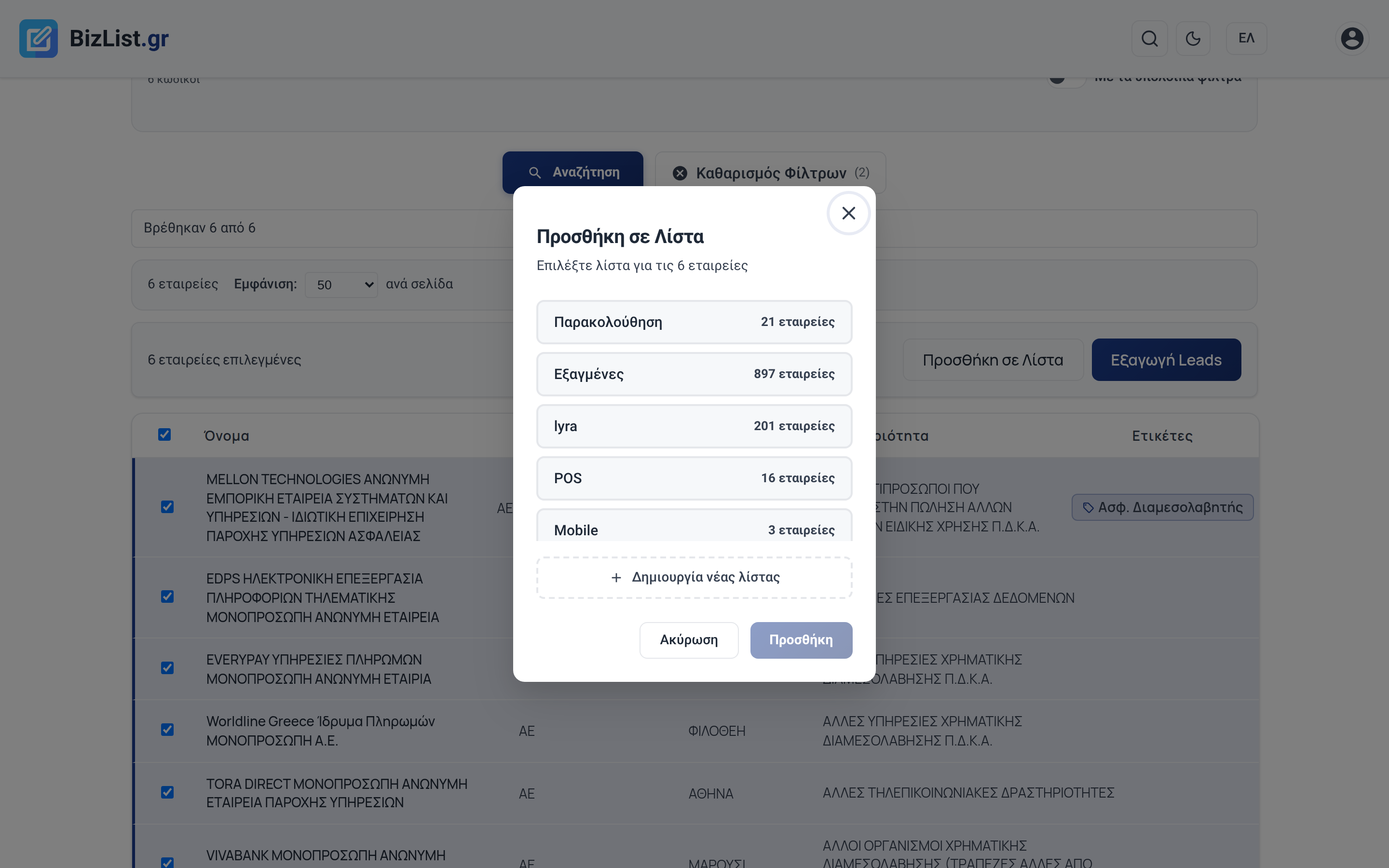
Click Add to List and pick an existing list or Create new list.
Watch the whole list
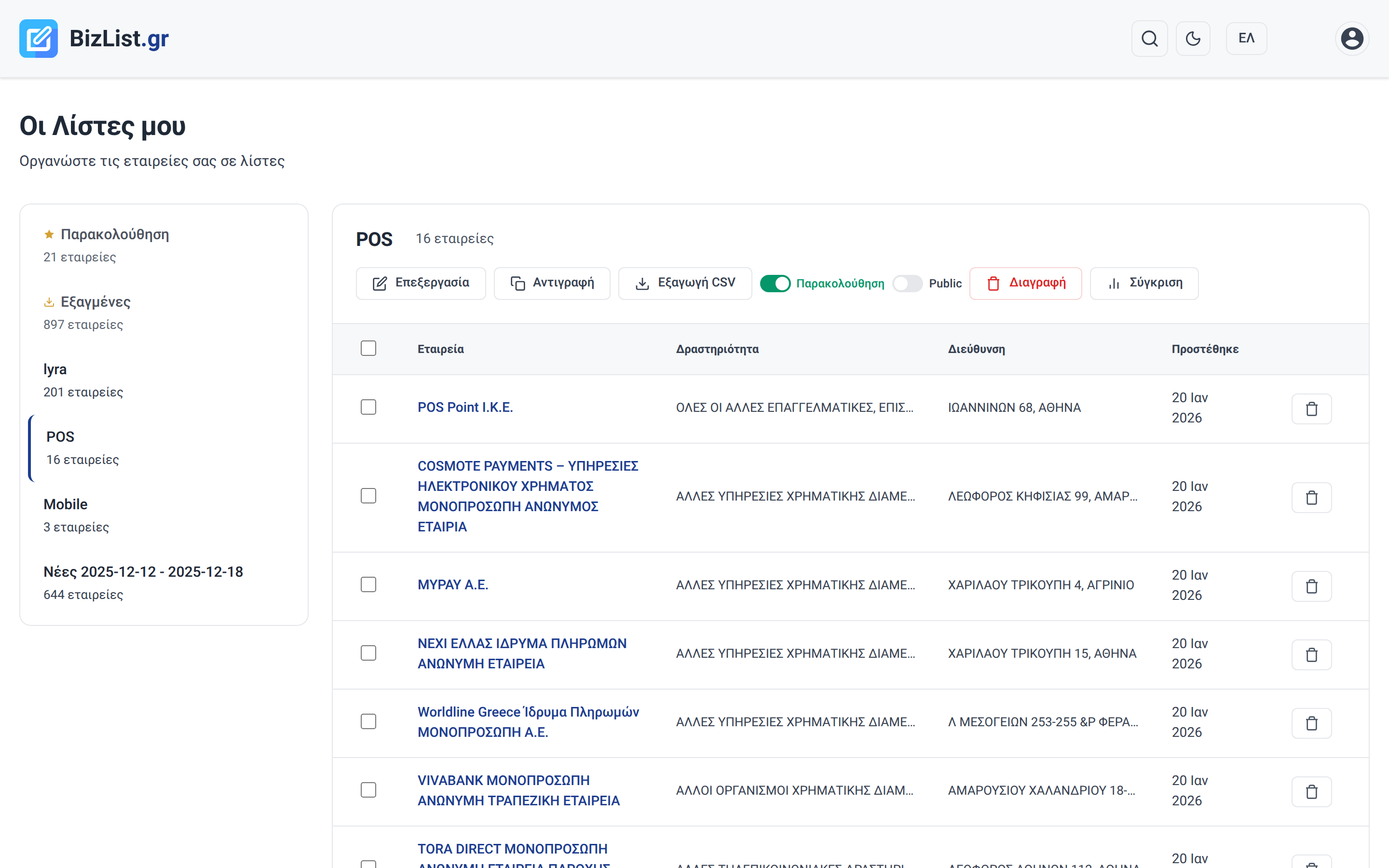
Go to Lists, open the list and flip the Watch toggle. From then on every company in the list notifies you when it changes.
What triggers a notification
- Identity: name, status, legal type, end date
- Address: region, city, municipality, postal code, street and number
- Contact: email, phone, website
- Activity: activity codes (KAD) and stated purpose
- Members and partners: who joined, who left
- Registry suspension: suspension, reason, date
- New GEMH filings, public contracts, EU subsidies
Notification limit
Up to 10 emails per hour per user, shared between companies and people.
When you hit the limit, the last email says so in its subject. Changes that do not fit are not lost: they are sent on the next check of that company.
Good to know
- Removing a company from a watched list stops watching that company
- Turning the toggle off stops watching every company in the list
- The same company can sit in several lists, the email is sent once
- Smart lists have no toggle: their members change dynamically with the criteria
- Everything you watch is collected in the Watchlist