BizList.gr MCP Server
Bridges AI agents directly with the BizList.gr Greek business database. Search 1.1M+ companies, look up shareholders and directors, analyze financial filings, and export verified leads, all from any MCP-compatible AI assistant.
| Server URL | https://api.bizlist.gr/mcp/v1 |
| Transport | Streamable HTTP |
| Authentication | OAuth 2.1 + PKCE (with Dynamic Client Registration), or X-Api-Key |
| Protocol | Model Context Protocol |
What is MCP?
The Model Context Protocol (MCP) is an open standard that lets AI agents connect to external tools and data sources. Instead of copy-pasting data, your AI can directly search companies, look up financial data, and perform analysis through BizList.gr.
The BizList MCP server works with any MCP-compatible client, including:
- claude.ai (Web, Desktop, Mobile), via OAuth, no API key needed
- ChatGPT, via OAuth, as a custom MCP server
- Claude Code (CLI)
- Cursor, Windsurf, and other AI-enabled editors
- Custom agents built with the OpenAI Agents SDK, Anthropic SDK, LangGraph, etc.
- Any other MCP client supporting Streamable HTTP transport
Quick Connect via OAuth
Any MCP client that supports OAuth 2.1 can connect with zero configuration. No API key, no manual setup. The server advertises its OAuth metadata at /.well-known/oauth-authorization-server and supports Dynamic Client Registration (RFC 7591), so the client registers itself automatically the first time it connects.
Claude
A connector you add on claude.ai also works in the Desktop and Mobile apps.
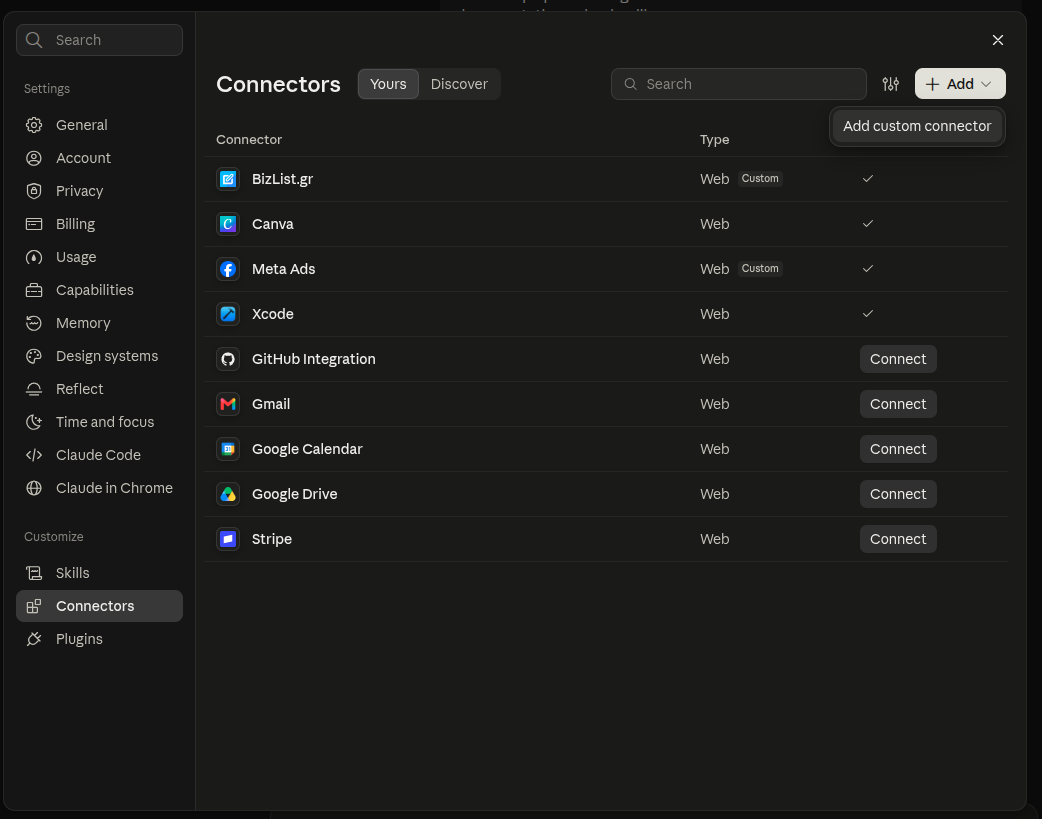
New connector
Open Settings → Connectors. Click Add, then Add custom connector.
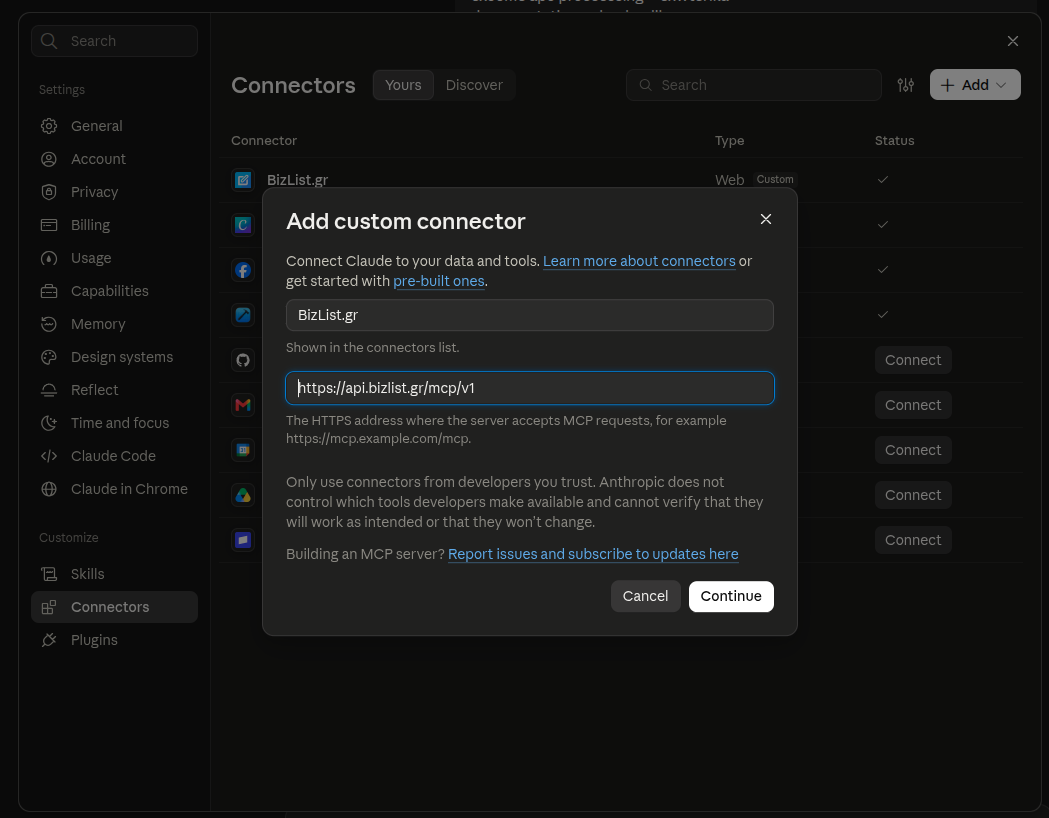
Name and URL
Enter the name BizList.gr and the URL https://api.bizlist.gr/mcp/v1. Click Continue.
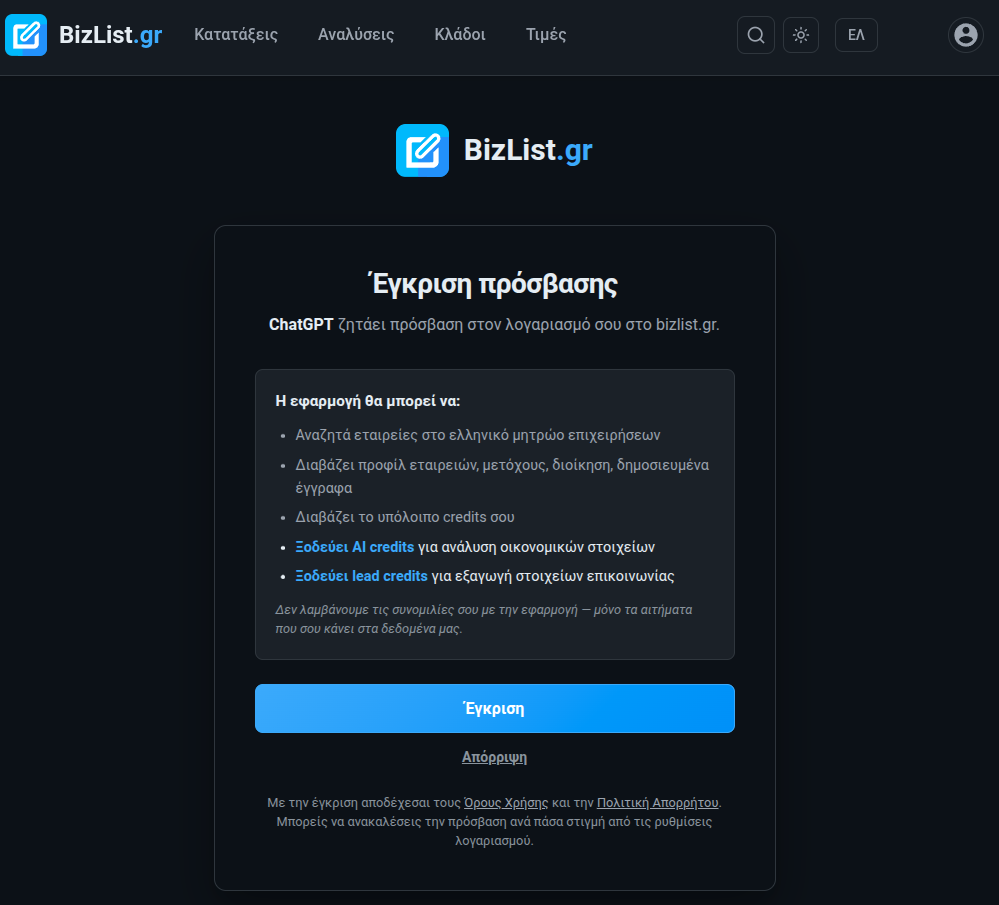
Approve on bizlist.gr
bizlist.gr opens. Log in and click Approve.
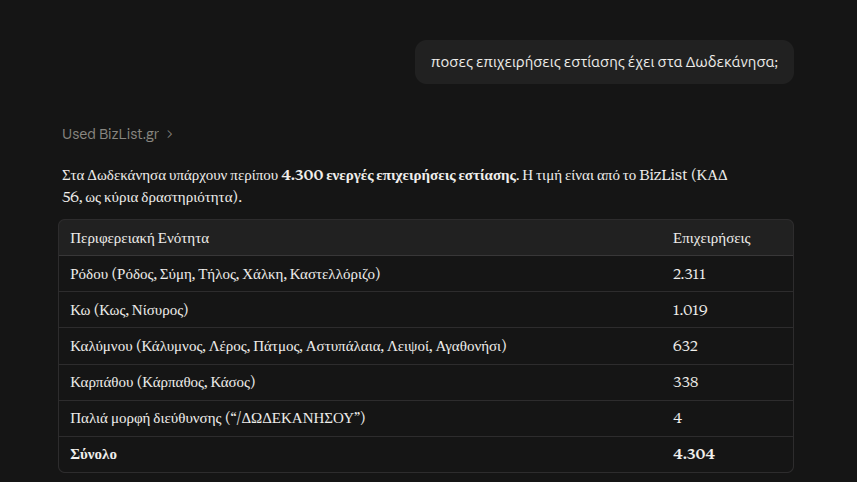
Ask in the chat
Ask as you would ask a colleague. Claude calls the BizList tools on its own when it needs data.
ChatGPT
New MCP server
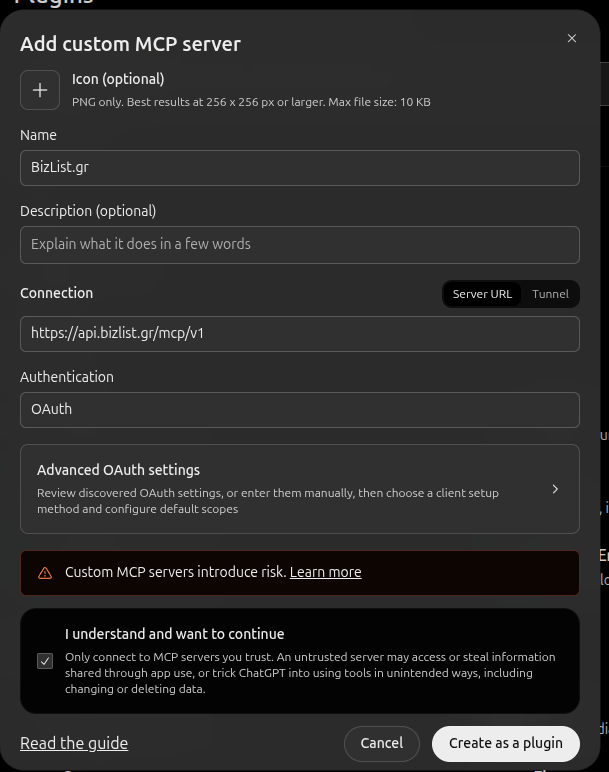
On chatgpt.com, open Plugins from the left menu. Click Add, then Add custom MCP server.

Name, URL and OAuth
Enter the name BizList.gr and, under Server URL, https://api.bizlist.gr/mcp/v1. Keep Authentication on OAuth. Tick I understand and want to continue and click Create as a plugin.
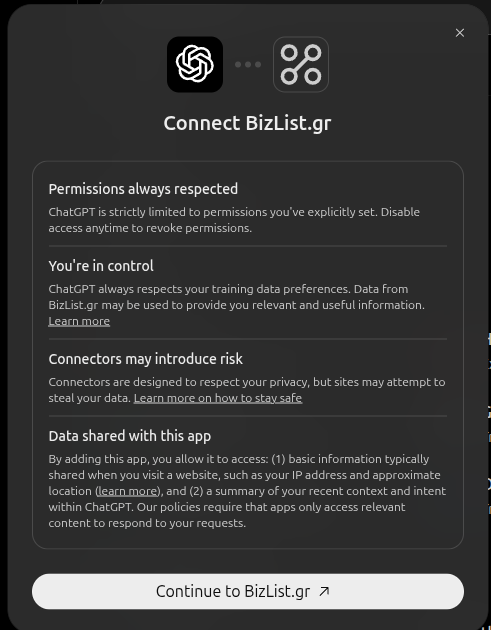
Connect
Click Continue to BizList.gr.
Approve on bizlist.gr
Log in to bizlist.gr and click Approve, as in step 3 for Claude.
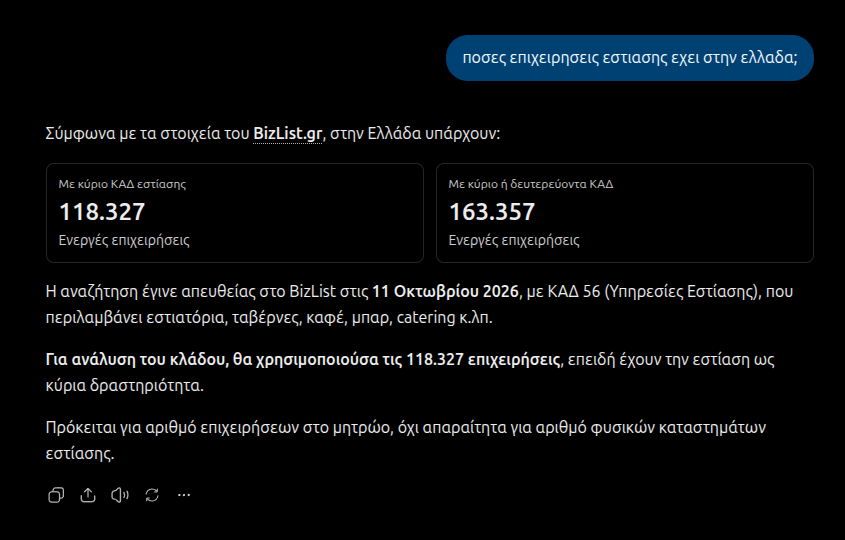
Ask in the chat
ChatGPT answers with BizList data.
Other OAuth-capable clients
Point your client at https://api.bizlist.gr/mcp/v1. On the first request it will receive a 401 with a WWW-Authenticate header pointing to the resource metadata. From there the client follows the standard OAuth 2.1 + PKCE flow against the discovered authorization server. No prior client registration required.
API Key Setup
For programmatic clients that don't support OAuth flow (background jobs, scripts, Claude Desktop config files, etc.), use a long-lived API key:
- Create an account or log in to bizlist.gr
- Go to your Account page
- Scroll to "API Keys" and create a new key
- Copy the key immediately (it won't be shown again)
- Purchase API credits to use with MCP tools
Configuration
Claude Desktop
Add the following to your Claude Desktop configuration file:
- macOS:
~/Library/Application Support/Claude/claude_desktop_config.json - Windows:
%APPDATA%\Claude\claude_desktop_config.json
{
  "mcpServers": {
    "bizlist": {
      "type": "streamable-http",
      "url": "https://api.bizlist.gr/mcp/v1",
      "headers": {
        "X-Api-Key": "YOUR_API_KEY_HERE"
      }
    }
  }
}
Claude Code (CLI)
Run this command in your terminal:
claude mcp add-json bizlist '{
  "type": "http",
  "url": "https://api.bizlist.gr/mcp/v1",
  "headers": {
    "X-Api-Key": "YOUR_API_KEY_HERE"
  }
}' --scope user
Cursor / Other MCP Clients
Use these connection details:
| URL | https://api.bizlist.gr/mcp/v1 |
| Transport | Streamable HTTP |
| Auth Header | X-Api-Key: YOUR_API_KEY |
Available Tools
The MCP server exposes 12 tools that your AI assistant can use:
search
Quick free-text search across Greek companies and people. Use for natural-language queries: a company name, person name, VAT number, AR GEMH, or partial title. Returns mixed company + person results ranked by relevance.
search_companies
Advanced search with filters for activities (KAD/NACE codes), location, legal type, status, GPS radius, and more. Returns up to 25 results (unlimited for premium).
Key Parameters
query | Free text search |
activities | KAD/NACE activity codes |
cities | Filter by city |
has_email | Only companies with email |
status | "active", "inactive", or "all" |
gps_center_lat/lon/radius_km | GPS radius search |
get_company
Full company profile by AR GEMH (Greek registry number). Default response includes name, VAT, address, legal type, main activity with industry benchmark, latest financials with display formatting, risk flags (insolvency / ΑΑΔΕ violations / sanctions / PEP / public debt), and branches, other entities sharing the same VAT, covering both physical branches and corporate-restructuring successors. Use include_sections for deeper data: contact, social, activities, people, financials, documents, related_companies, risk, rankings, stock_listing, subsidies, procurement, objective, titles, public_debtor. For premium accounts the response also includes notes: your notes on the company and any notes shared by members of your organization. Notes are private: only you and your organization can see them, and they are not public data.
get_company_by_vat
Look up a company by VAT number. Supports Greek and EU VAT formats.
search_activities
Search KAD/NACE activity codes by keyword. Use this to find the right code before searching companies.
get_person
Get person details and all companies they are associated with (shareholder, CEO, board member, etc.).
get_credits
Check your remaining AI, lead, and API credits.
get_company_news
Recent news articles mentioning a specific Greek company: press coverage, announcements, acquisitions. Aggregated from Greek news outlets. Free.
check_financial_analysis
Check the AI credit cost before running financial analysis. Always called automatically before analyze_financials.
analyze_financials
AI-powered extraction from published balance sheets. Extracts revenue, profit, assets, liabilities, equity, cash, etc. Costs 1 AI credit per balance sheet document analyzed. A typical Greek balance sheet contains the current year plus comparative columns for the prior year, so a single 1-credit call commonly returns 2 years of data (extra years saved AND returned for free as bonus_periods). Idempotent: if the year is already analyzed, returns cached data with credits_charged: 0. Pass force_reanalyze: true to re-run the AI.
check_export_leads
Check the lead credit cost before exporting. Returns exportable count and cost estimate.
export_leads
Export company contact data (emails, phones). Costs 1 lead credit per company with valid email.
save_company_note
Saves a note on a company to your account, e.g. a finding from the conversation with the AI. Premium accounts only, no credits. Each user has one note per company: mode: "append" (default) adds the text as a new paragraph, "replace" overwrites the existing note. The whole note is limited to 2,000 characters. With is_shared: true members of your organization can see it too. The note is private: it is never published and other users cannot see it.
Credits & Pricing
MCP tool calls use the same credit system as the REST API:
| Action | Cost |
|---|---|
| Any tool call (search, get company, etc.) | 1 API credit |
| AI financial analysis | 1 API credit + 1 AI credit per year |
| Lead export | 1 API credit + 1 lead credit per company |
| Check credits / Search activities | Free |
Purchase credits on the Credits page.
Usage Examples
Once configured, just ask your AI assistant naturally:
Market Research
"I want to open a souvlaki shop on Ermou Street in Athens.
What competition do I have? How many restaurants are
in the area and what are their financials?"
Lead Generation
"Find all active software companies in Thessaloniki
that have an email address. I need their contact details."
Company Research
"Look up the company with VAT EL123456789.
Who are the shareholders? What is their revenue trend?"
Financial Analysis
"Analyze the financial documents of company 170000000000
for the last 3 years. Compare revenue and profitability."
Need Help?
Email support@bizlist.gr or use our contact form. We typically respond within 24 hours on business days.
For REST API documentation, see API Docs. Privacy policy: /docs/en/privacy/ · Terms: /docs/en/terms/.