From personal subscription to organization
What it does
With a personal subscription, you convert your account to an organization in one click. The organization has 2 seats at the same price: you and one more member.
A paid subscription is required. The free trial cannot be converted to an organization.
See the subscriptions and prices.
Steps
1
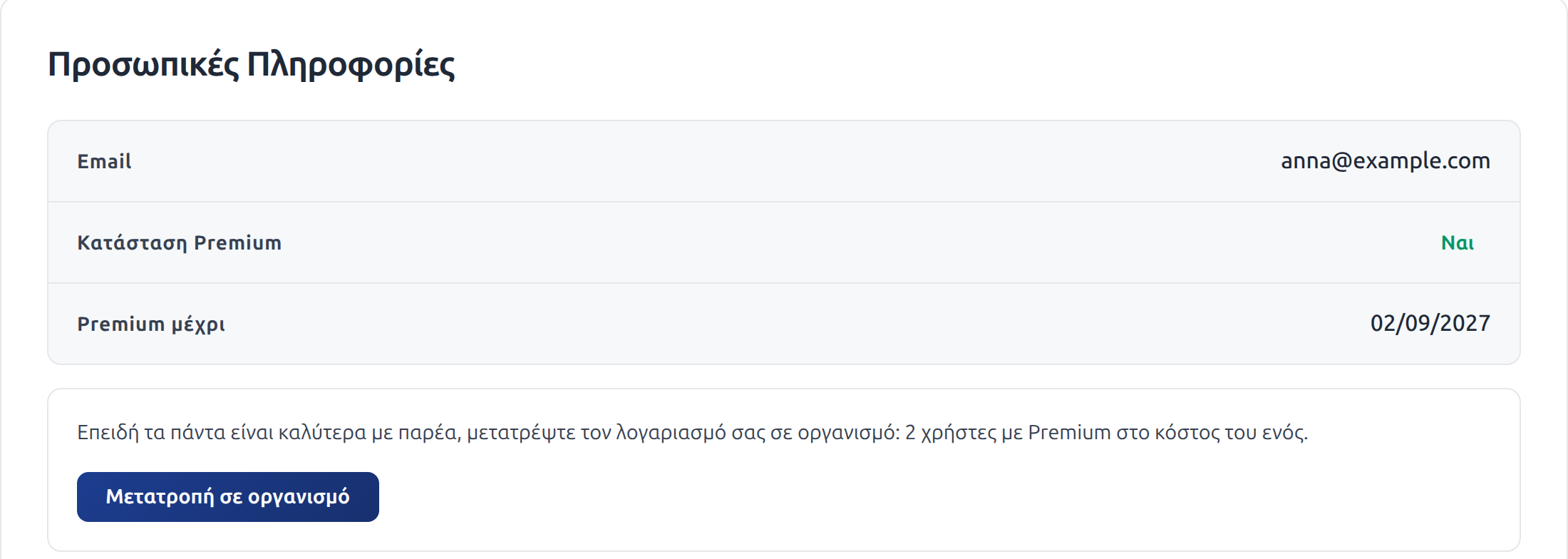
2
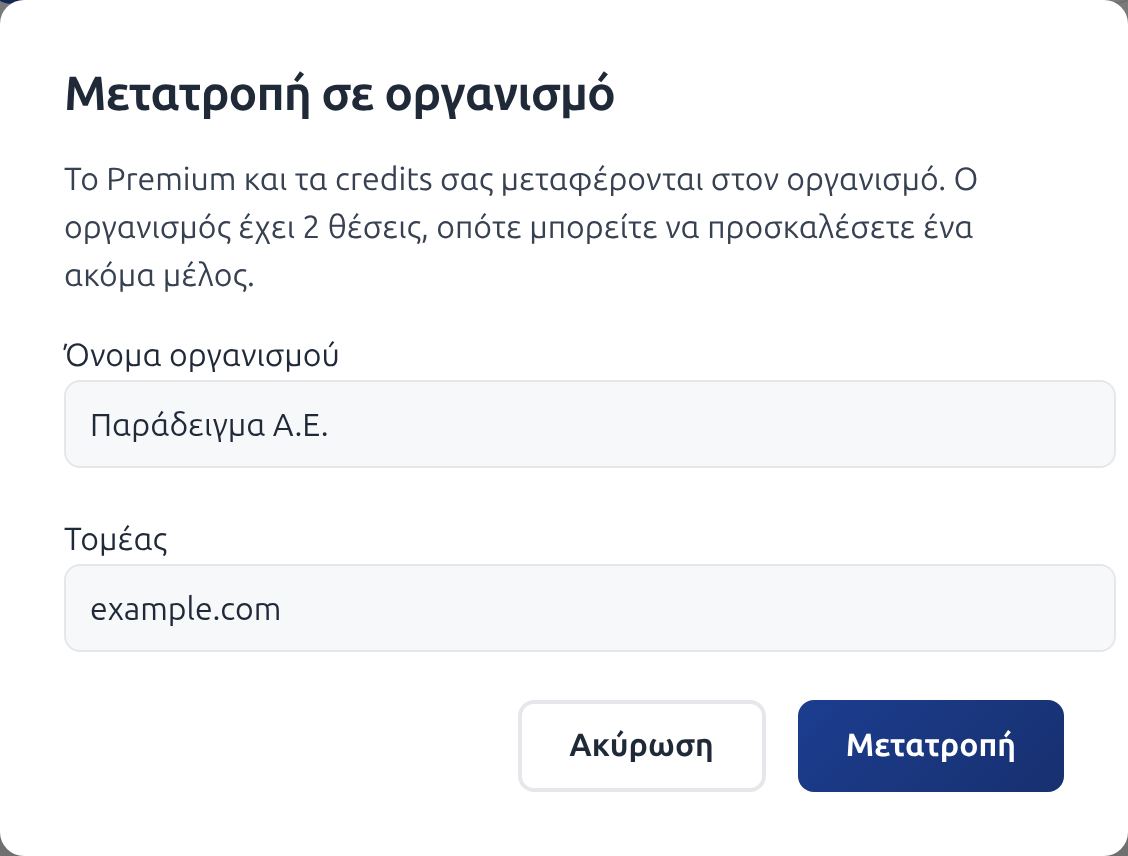
Name and domain
Enter the organization name. Members see this name. In
Domain, enter the domain of your company email, e.g. company.gr.
If your email is a company email, both fields fill in automatically. With an email such as
gmail.com, leave the domain empty. Click Convert.
3
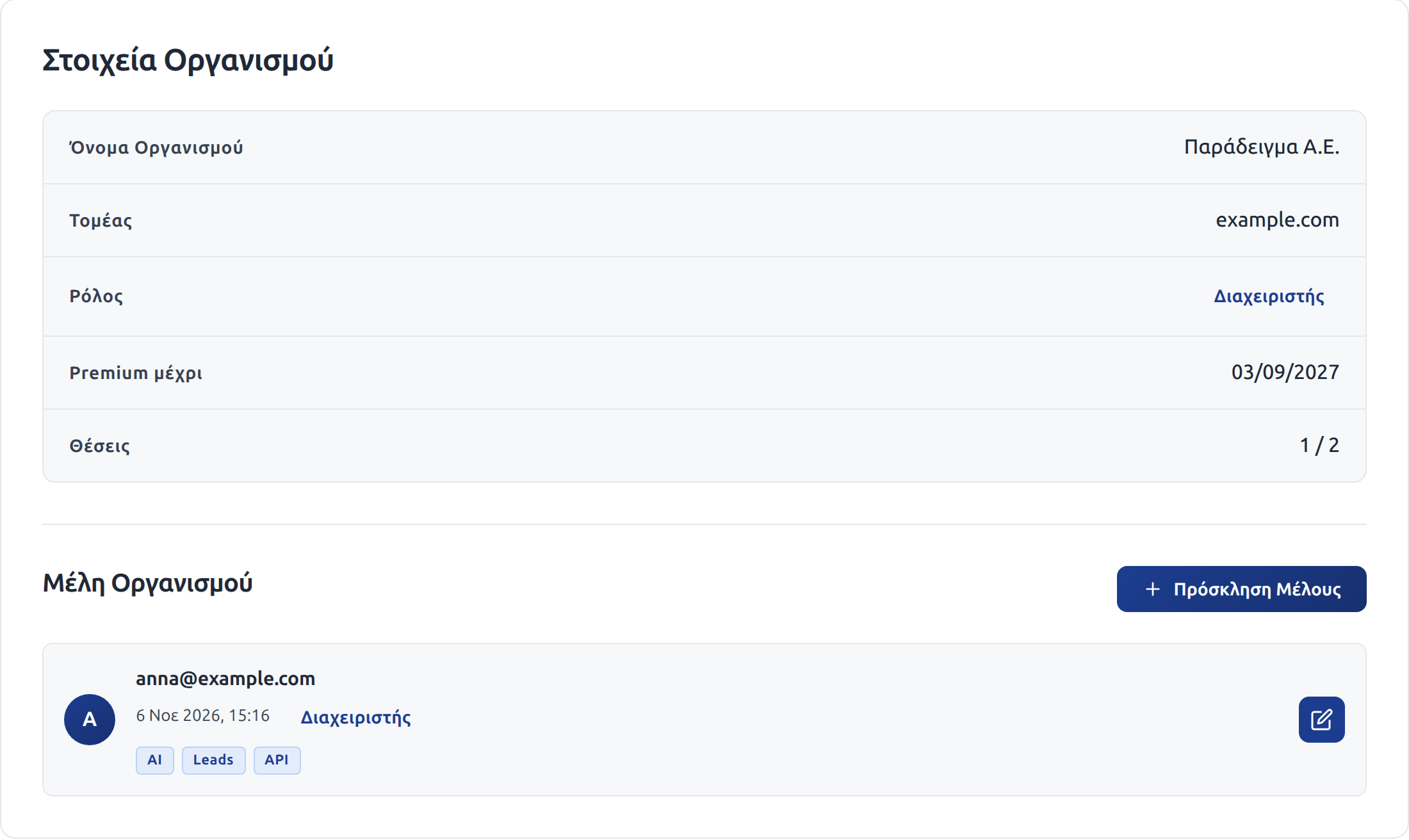
Organization details
The Organization tab opens. You are the admin and the seats show 1 / 2: one seat is free.
4
Invite a member
Click Invite Member, enter the email of your colleague and click Invite. The member signs in to BizList.gr with this email and has Premium immediately.
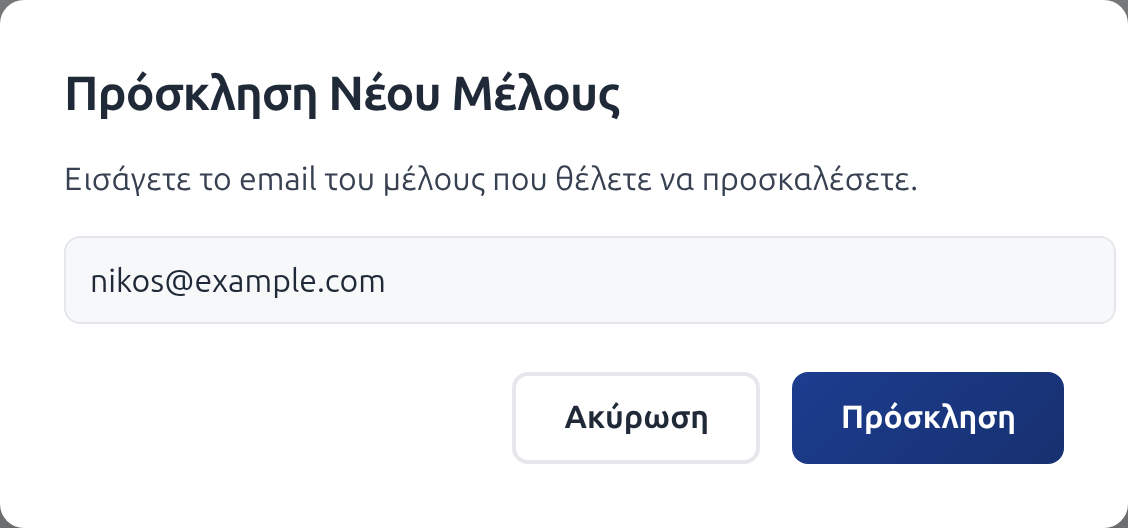
The member gets an invitation email with a sign-in link. The link is valid for 7 days. After that, the member signs in as usual with their email.
What moves to the organization
- Premium: the remaining time of your subscription moves to the organization
- Credits: all your credits (lead, API, AI) become shared organization credits
- Subscription: continues at the same price. At each renewal, Premium and credits go to the organization
Good to know
- With the pencil next to each member, you set if the member can spend the lead, API and AI credits of the organization
- When you remove a member, the seat becomes free for another member
- For more than 2 seats, buy seats on the pricing page. The seat subscription replaces the personal one
- You cannot undo the conversion from the account page