Search and export contacts
What you need
You need a BizList.gr account. A new account gets 7 days of premium and 50 lead credits once, for a trial, without a card. With these you can do a real export before you buy.
The steps
Activity
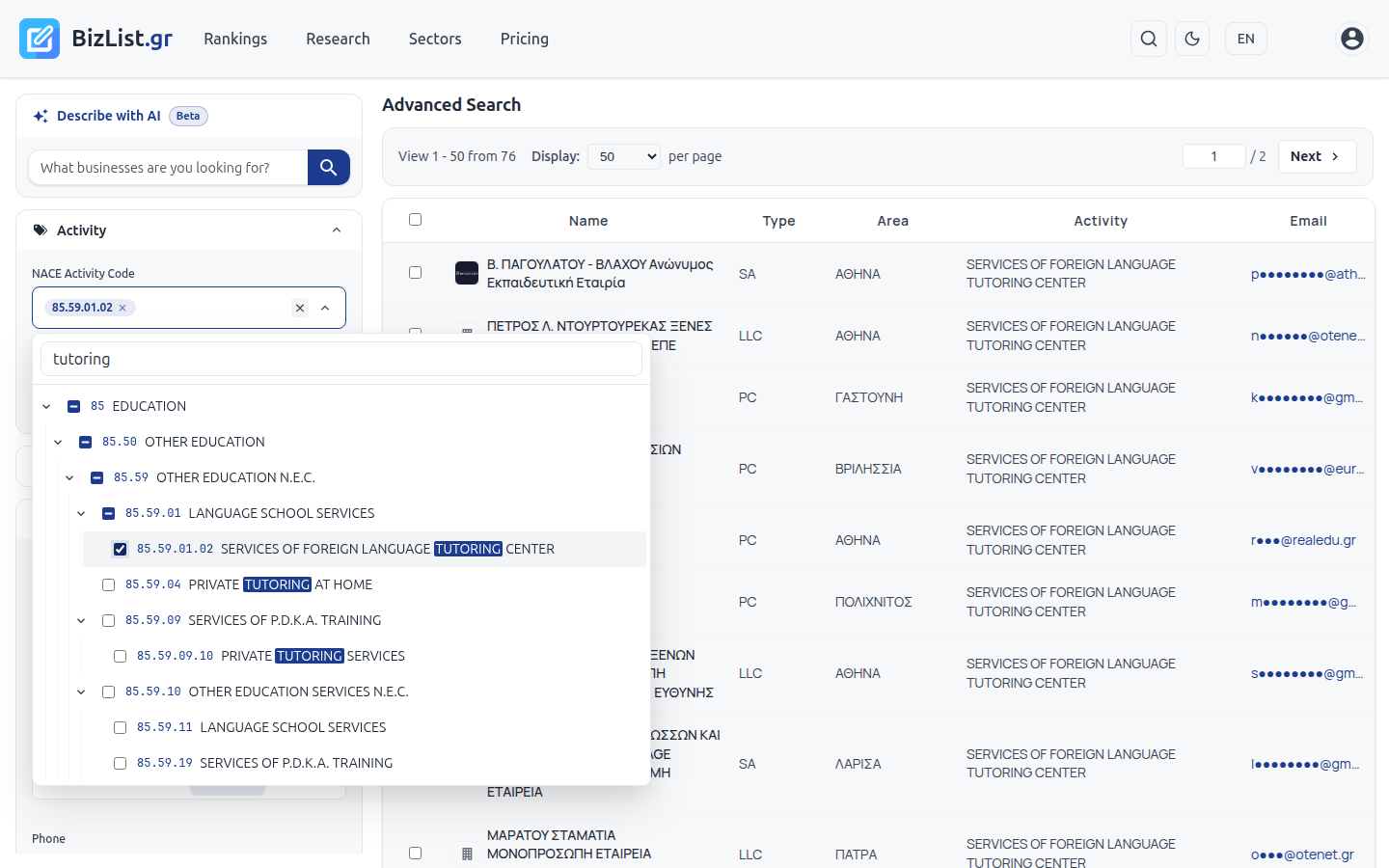
Open Advanced Search and the Activity section. Type a word, for example "tutoring", and select the NACE codes you need. With Primary activity only, you keep the companies that have this code as their main activity.
Area, email and other filters
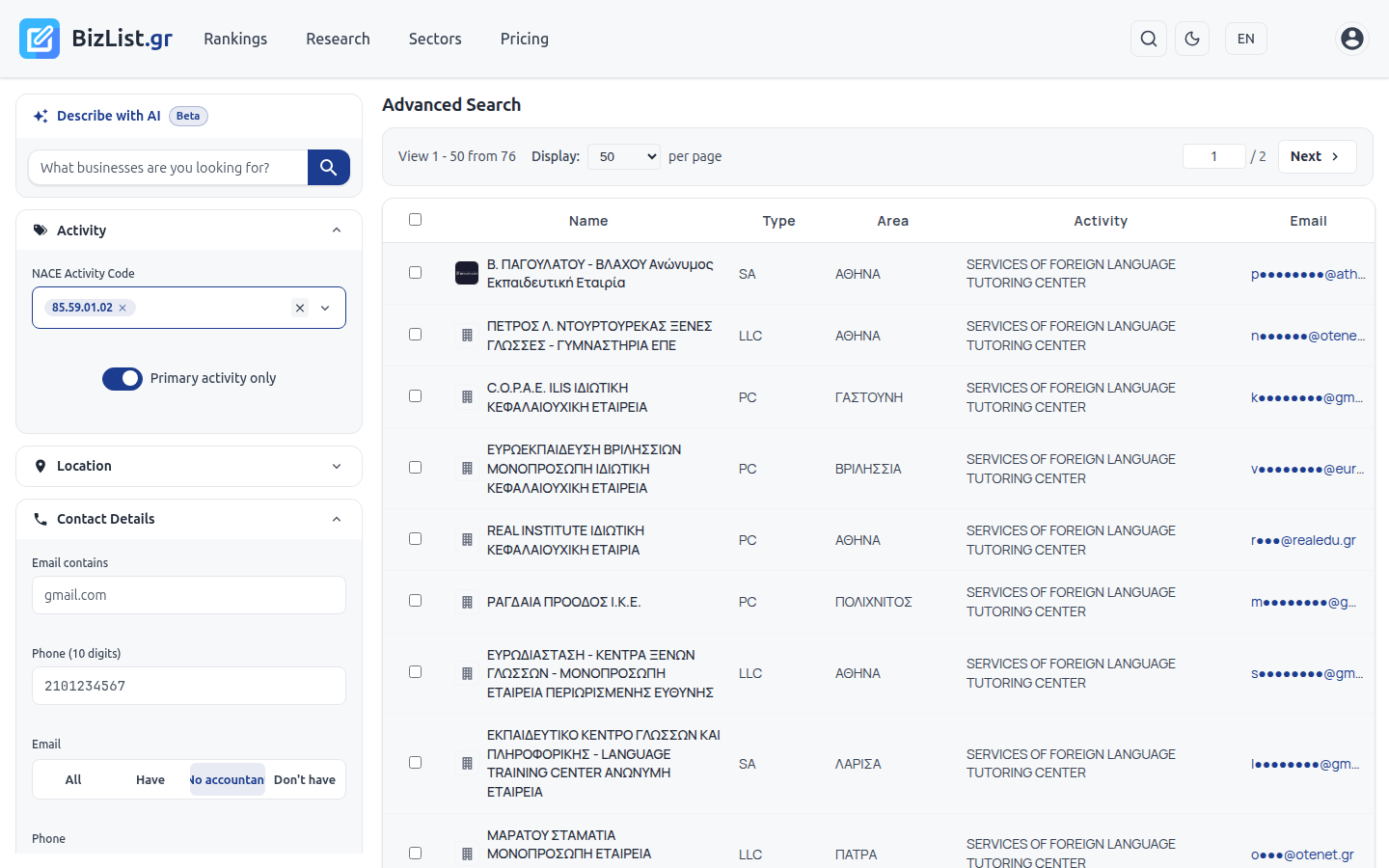
In Location, select a region, city or postal code. In Contact Details, set Email to Have. No accountant removes the emails of the company's accountant. This way you do not pay for contacts that do not reach the company itself. Sole proprietorships appear in the search, but without email.
Other useful filters: company type (SA, LLC, PC), revenue in Financials, date of incorporation. You can also type what you need in Describe with AI, for example "foreign language schools in Attica with email".
Select companies
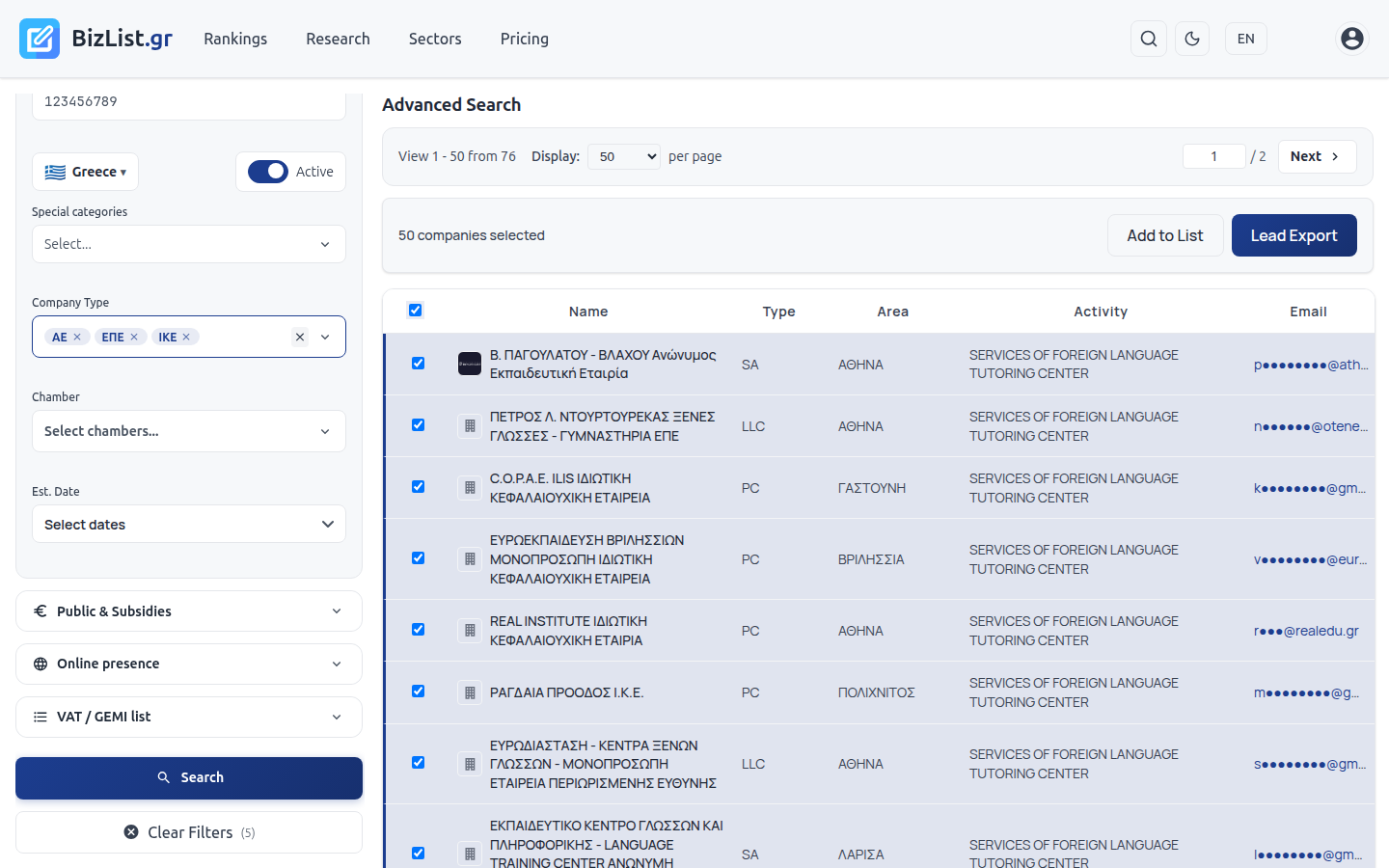
Click Search. With Display you show up to 10,000 companies per page. The checkbox in the table header selects all companies on the page. You can also select them one by one.
Export
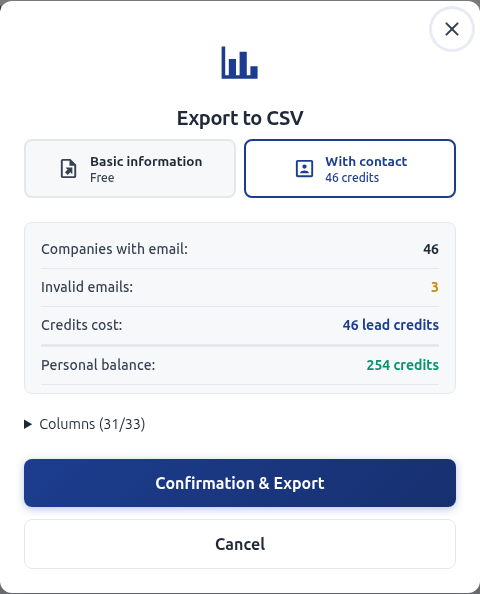
Click Lead Export. The window has two options:
- Basic information: free. Name, VAT number, address, NACE code, website, revenue and profit. No email and phone.
- With contact: email, phone, social media and Google Maps. Uses lead credits.
Before the charge, the window shows how many companies have an email, the cost in credits and the balance that remains. In Columns you select what goes into the file. The file is CSV and opens in Excel.
How lead credits are charged
- Each company with a valid email costs 1 credit
- Companies without email, with an email that does not work or with an email that asked not to receive messages are not charged
- A company that you already exported is not charged again. With Exclude already exported you leave it out of the new file
- In an organization, the window shows if the charge goes to your personal credits or to the organization's credits
- Credits do not expire. The credits you do not use stay in your account
How to buy credits
There are two ways, both on the Pricing page:
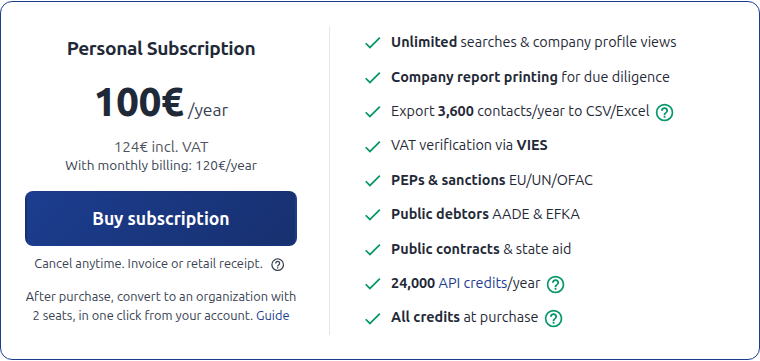
Premium subscription
The subscription gives full access to BizList.gr and lead credits. With the annual subscription you get all the credits of the year at purchase. With the monthly one, you get the credits of the month at each renewal.
Lead credit packages
One-off purchase, without a subscription. Use it for one large export or for extra credits on top of the subscription. Each package also gives 14 days of premium.
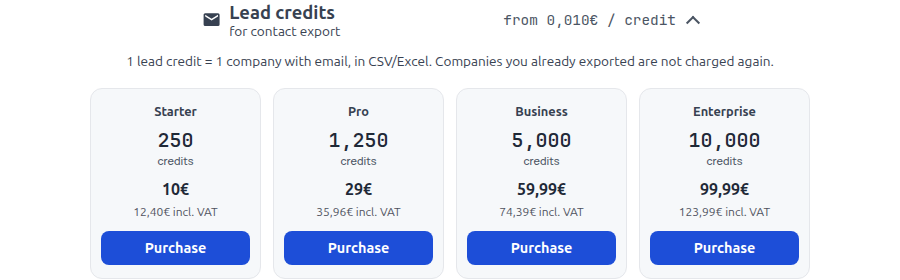
You pay by card, Apple Pay, Google Pay or IRIS. You get an invoice or a retail receipt. The credits show on the Account page right after the payment.
Good to know
- You can export from every company table with checkboxes: advanced search, sectors, new companies, lists
- Save companies to a list to find them again or export them later
- Unsolicited communication for direct marketing, for example by email, is governed by article 11 of Greek law 3471/2006 (ePrivacy), which also applies to legal entities. The framework is on the Legal framework page. The sender is responsible for each communication